
Social media automation used to mean one thing: scheduling posts ahead of time so you didn't have to log in at 9am every day. That's still useful — but in 2026, it's the floor, not the ceiling. The real shift is that AI agents can now handle the whole loop: research a topic, draft the copy, generate the visual, pick the right platform, and publish — with a human only stepping in to approve. The tools that matter most this year aren't just schedulers. They're the ones an AI agent can actually operate.
This list covers the top 10 tools to automate social media, ranked with that shift in mind. Some are classic schedulers that do one job well. Some are automation platforms that orchestrate everything behind the scenes. And a few are built from the ground up to be driven by AI agents through an API or the Model Context Protocol. Whether you want a simple queue or a fully autonomous content engine, there's a tool here for your workflow.
🥇 SchedPilot — Best overall: built for AI agents (API + MCP) and excellent as a traditional scheduler too
🥈 Buffer — Best simple scheduler for individuals and small teams
🥉 n8n — Best for building custom AI-driven automation pipelines
1. SchedPilot — Best for AI Agents and Traditional Scheduling Alike
SchedPilot takes the top spot because it is the rare tool that works brilliantly in both worlds. If you just want to queue up next week's posts from a clean calendar, it does that as well as any dedicated scheduler. But what sets it apart in 2026 is that it was designed from day one to be operated by AI agents — not just humans clicking buttons.
Here's why that matters. Most social tools are closed boxes: you schedule content through their dashboard and that's the only way in. SchedPilot exposes a proper REST API and supports the Model Context Protocol (MCP) — the standard that lets AI agents call tools directly. In plain terms, that means an AI agent (running in Claude, n8n, Make, or your own code) can treat SchedPilot as a native tool: "research this week's industry news, write three LinkedIn posts, generate images, and schedule them across our accounts" becomes a single instruction the agent executes end to end. No copy-pasting captions between a chatbot and a scheduler.
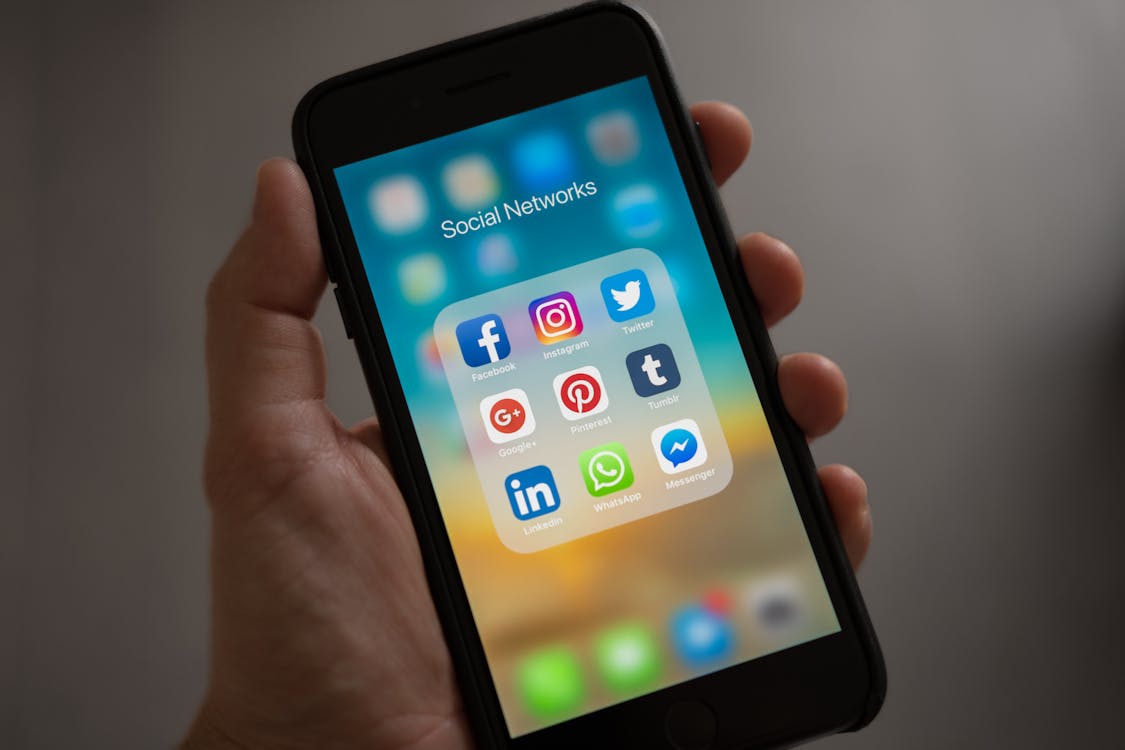
Because the MCP and API layer is first-class, SchedPilot slots straight into modern AI stacks. Point an agent at it and you can build workflows where a new blog post automatically becomes a week of social content, or where an agent monitors trending topics and drafts timely posts for your approval. And when you don't want automation at all, the same platform gives you a traditional content calendar, drag-and-drop scheduling, bulk upload, and per-client workspaces — so a human can drive it exactly like Buffer or Later.
For agencies specifically, SchedPilot keeps each client in an isolated workspace with separate queues, credentials, and analytics, plus a client approval portal that works over a shareable link (no client login required). That combination — AI-agent-ready and genuinely good for hands-on scheduling — is why it leads this list.
✅ Built for AI agents — native REST API and MCP support
✅ Also a first-rate traditional scheduler (calendar, bulk upload, queues)
✅ Connects to n8n, Make, Zapier, and Claude-based agents
✅ Isolated client workspaces with no-login approval portal
✅ White-label reporting and predictable workspace pricing
❌ Newer platform — smaller community than Buffer or Hootsuite
❌ Advanced social listening isn't a core feature yet
Best for: Teams building AI-agent workflows, agencies managing multiple clients, and anyone who wants one tool that handles both autonomous and manual posting.
→ Try SchedPilot
2. Buffer — Best Simple Scheduler for Getting Started
Buffer is the tool to reach for when you want reliable scheduling without a learning curve. It has outlasted most competitors by staying genuinely easy to use: a clean calendar, a publishing queue, basic analytics, and a link-in-bio Start Page, covering Instagram, Facebook, LinkedIn, TikTok, Pinterest, and X.
Buffer doesn't try to be an automation platform, and that's the point. For a solo creator or small business that just needs posts to go out on time, it removes the friction without overwhelming you with features you'll never touch. Its posting-time recommendations and engagement breakdowns are more than enough for most users.
✅ Genuinely simple — no training needed
✅ Transparent per-channel pricing
✅ Strong TikTok and Instagram Reels scheduling
✅ Free plan for up to 3 channels
❌ No AI-agent API/MCP layer
❌ Approval workflows limited to higher tiers
❌ Reporting lacks depth for client work
Best for: Individuals and small businesses that want dependable scheduling and nothing more complicated.
→ Try Buffer Free
3. n8n — Best for Building Custom AI Automation Pipelines
n8n is an open-source workflow automation platform — think Zapier, but self-hostable and far more powerful for complex, multi-step logic. It isn't a social tool on its own, but it's often the brain that ties an AI-driven social workflow together.
The pattern that shines in 2026: an n8n workflow watches a trigger (new blog post, RSS item, or a schedule), calls an AI model to draft captions and choose visuals, then hands the finished posts to a scheduler with an API — like SchedPilot — to publish across accounts. Because n8n can also act as an MCP client and server, it's a natural orchestration layer for agent-based automation. The visual node editor keeps this accessible even without heavy coding.
✅ Open-source and self-hostable — full data ownership
✅ Powerful multi-step, AI-driven workflow building
✅ Connects to any tool with an API; supports MCP
✅ Large and growing template library
❌ Steeper learning curve than plug-and-play tools
❌ Needs a scheduler to actually publish
❌ Self-hosting requires some technical setup
Best for: Technical teams and developers building custom, AI-agent-powered content pipelines.
→ Try n8n
4. Zapier — Best No-Code Automation Glue
Zapier is the most accessible automation platform available. For social workflows that don't need complex branching, it connects the tools you already use with zero code: auto-share new blog posts to multiple platforms, cross-post between networks, or sync a content calendar to your scheduler.
Zapier has also leaned into AI, with steps that let you call language models mid-workflow to generate or rewrite copy. It's not a scheduler itself, but as the connective tissue between an AI step and a publishing tool, it covers the most common automations out of the box.
✅ Easiest no-code automation tool
✅ 6,000+ app integrations
✅ Built-in AI steps for generating copy
✅ Pre-built templates for social workflows
❌ Cost scales quickly with volume
❌ Complex logic trails n8n and Make
❌ No native scheduling — pairs with other tools
Best for: Non-technical marketers who want to connect tools and automate repetitive tasks without code.
→ Try Zapier
5. Hootsuite — Best for Large Teams That Need Everything
Hootsuite is the enterprise elder statesman. Its pricing is steep for small teams, but the feature depth at the top tiers is hard to match: social management, listening, analytics, team workflows, and compliance from a single vendor.
The Streams interface monitors keywords, brand mentions, and competitors in real time; Amplify powers employee advocacy; and the analytics suite is among the deepest available, with customizable dashboards and ROI tracking. If your organization needs governance and reporting at scale, Hootsuite is likely already on your shortlist.
✅ Unmatched analytics and social listening
✅ Extensive third-party integrations
✅ Employee advocacy (Amplify) built in
✅ Enterprise compliance and governance
❌ Among the highest prices in the category
❌ Real learning curve
❌ Per-seat, per-profile pricing gets unpredictable
Best for: Mid-market and enterprise teams with dedicated social staff and matching budgets.
→ Try Hootsuite
6. Later — Best for Visual Content Planners
Later built its name on Instagram, and it shows — the visual, drag-and-drop content calendar is one of the best planning experiences available. You can see exactly how your feed will look before anything goes live, which matters for brands where aesthetic consistency is part of the pitch.
It now covers TikTok, Pinterest, LinkedIn, Facebook, and X, and its Linkin.bio feature lets e-commerce brands tag products and drive Instagram traffic straight to product pages. The searchable media library keeps a high volume of imagery organized.
✅ Best-in-class visual feed planner
✅ Linkin.bio with shoppable post tagging
✅ Clean media library
✅ Good TikTok scheduling
❌ Analytics trail Hootsuite and Sprout
❌ Less suited to text-heavy B2B strategies
❌ Collaboration limited on lower tiers
Best for: E-commerce and lifestyle brands where feed aesthetics are a primary concern.
→ Try Later
7. SocialBee — Best for Category-Based Content Strategy
SocialBee gives you granular control over your content mix. Its category-based queue system lets you decide what percentage of posts are educational, promotional, curated, or seasonal, and it enforces that balance automatically as it publishes.
Built-in Canva and Unsplash integrations speed up creating visually consistent posts, and its AI caption writer is genuinely useful for first drafts. Agency plans include client workspaces, making it a capable Hootsuite alternative at a lower price.
✅ Precise content-mix control via categories
✅ Built-in Canva and Unsplash
✅ AI caption writer included
✅ Solid agency workspaces at competitive pricing
❌ Steeper initial learning curve than Buffer
❌ Analytics could go deeper for enterprise
❌ Mobile app lags the desktop experience
Best for: Content marketers who want strategic control over their mix on a friendly budget.
→ Try SocialBee
8. MeetEdgar — Best for Evergreen Content Recycling
MeetEdgar solves the problem most schedulers ignore: what happens to content after it's posted once. Instead of letting posts vanish into an archive, MeetEdgar treats your library as a rotating asset — content cycles back into the queue automatically, keeping profiles active without constant new production.
Its category-based queue lets you sort posts into buckets (educational, promotional, curated) and cycle through them on a schedule. When new content runs low, it loops older evergreen posts back in — ideal for solopreneurs with limited production capacity.
✅ Automatic recycling ends the "empty queue" problem
✅ Category scheduling gives content-mix control
✅ Auto-generates caption variations
✅ Clean, simple interface
❌ No social listening
❌ Basic analytics
❌ Less suited to high-frequency video
Best for: Coaches, consultants, and bloggers with large evergreen libraries to keep circulating.
→ Try MeetEdgar
9. Publer — Best Budget All-in-One Option
Publer surprises people. The pricing is among the lowest in the category, yet you get scheduling, analytics, a link-in-bio page, a media library, team collaboration, and a basic AI writing assistant — on plans that cost a fraction of the premium tools.
It supports all the major platforms including Google Business Profile, which few tools at this price include, and its Watermark feature auto-brands images before publishing. It's not the deepest tool here, but for the money the value is exceptional.
✅ Best price-to-feature ratio
✅ Google Business Profile support
✅ Automatic image watermarking
✅ Generous free plan
❌ Basic analytics
❌ Rudimentary approval workflows
❌ No social listening
Best for: Small businesses and freelancers who want solid automation without a premium price.
→ Try Publer
10. Missinglettr — Best for Turning Blog Posts Into Social Campaigns
Missinglettr automates a specific job: turning your blog into social campaigns. Connect your RSS feed and it reads each new article, pulls out key quotes and stats, and builds a 12-month drip campaign of posts that promote that content over time.
For content-driven businesses, this compounds returns on every article. Instead of a post being promoted once and forgotten, Missinglettr keeps it circulating for a year across different angles. The Curate feature also surfaces relevant third-party content to fill gaps in your schedule.
✅ Auto-builds campaigns from blog posts
✅ 12-month drip maximizes content longevity
✅ Curate surfaces third-party content
✅ Straightforward setup
❌ Best for text-heavy sites, not video-first
❌ Quality depends on post structure
❌ Limited platform coverage vs full schedulers
Best for: Bloggers and SaaS businesses that publish regularly and want to maximize each article's reach.
→ Try Missinglettr
How AI Agents Change Social Media Automation
It's worth pausing on why "AI agents" keep coming up. A traditional scheduler automates timing — you still create every post. An AI agent automates the creation and decision-making too. Give an agent a goal ("keep our LinkedIn active with two useful posts a week about our industry") and, with the right tools connected, it can research, draft, generate visuals, and schedule — surfacing the result for your approval rather than asking you to do the work.
The catch is that an agent can only operate tools it can actually reach. That's why API and MCP support have become the dividing line in 2026. A scheduler with no programmatic access can only be driven by a human clicking around. A scheduler with a clean API and MCP support — like SchedPilot — can be handed to an agent as a native tool, which is what makes end-to-end automation possible.
How to Choose the Right Tool
The right tool depends on how much you want to automate:
- You want AI agents to run your social end to end → SchedPilot (for its API + MCP) as the publishing layer, orchestrated by n8n or Zapier.
- You just want reliable scheduling → Buffer or Publer. Affordable, easy, and enough for most solo creators and small businesses.
- You run an agency with multiple clients, approvals, and white-label reporting → SchedPilot, which is built for the multi-client model and AI workflows both.
- You're an enterprise team that needs listening, governance, and deep analytics → Hootsuite.
- Your feed aesthetics matter most → Later. Content mix control? → SocialBee. Evergreen recycling? → MeetEdgar.
- You publish a lot of blog content and want maximum social reach per article → add Missinglettr on top.
The trap is choosing on feature lists instead of workflow. Pick the tool that removes the friction you feel most right now, run it for 30 days, and expand from there. And remember that automation amplifies strategy — it doesn't replace it. You still need a solid social media strategy underneath. If you're comparing schedulers more broadly, our roundup of the best social media automation tools goes tool-by-tool, and for multi-client work the agency tools guide digs deeper.